
To humanize AI text, rewrite it so it says what you think, in the way you’d say it: start from your own outline, cut the stock phrases, vary sentence length, add your own examples and sources, read it aloud, and only then use a humanizer for a final pass. That’s how to humanize AI content without losing your argument or your citations, and it’s the same process whether the draft came from ChatGPT, Claude or Gemini.
Here’s the uncomfortable part. A draft can be grammatically perfect and still read like no one in particular wrote it. Your instructor has read hundreds of those. So have AI detectors, which react to predictable wording more than to who actually did the thinking.
This guide gives you seven steps you can follow by hand, a list of AI stock phrases with plain replacements, a before-and-after example, and an honest note on what a humanizer can and can’t do. The goal is a draft that reads naturally, in your own voice, not a trick to hide AI use.
Disclosure: Draftout makes an AI humanizer and an AI detector, so we have a stake in this topic. Steps 1 to 5 need no tool at all, and every outside figure has a numbered source at the end.
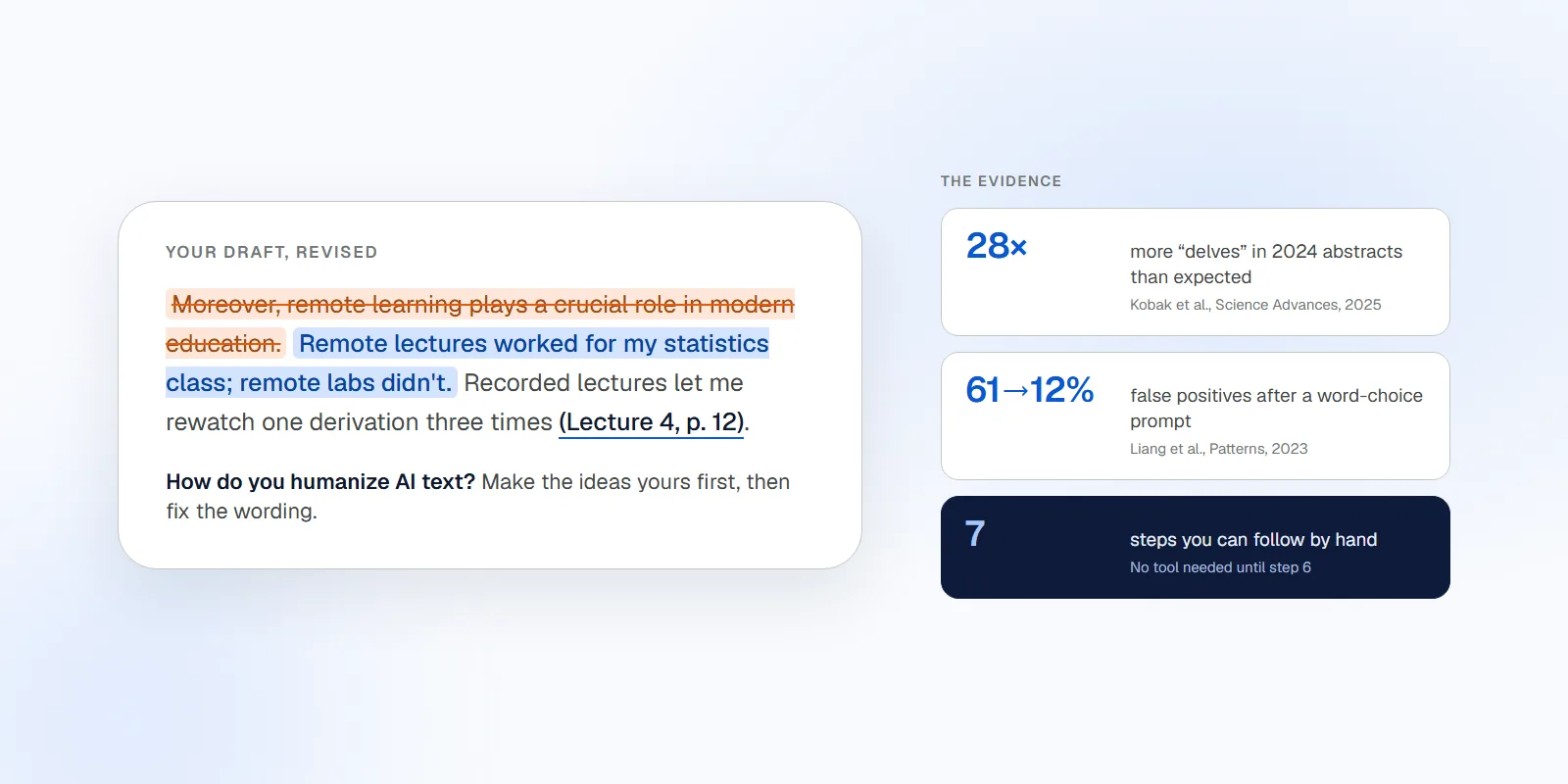
- Detectors respond to surface style. In a Stanford-led study, asking ChatGPT to “enhance the word choices” of human essays cut the average false positive rate from 61% to 12%[3]. A score measures style, not authorship.
- AI vocabulary is measurable: in 2024 biomedical abstracts, “delves” appeared about 28 times more often than earlier trends predicted[2]. Cutting stock phrases is the fastest single fix.
- Your own examples, sources and opinions are the part no tool can add. They also make the paper better.
- A humanizer is a final pass, not a first step. Read every changed sentence and check that quotes, page numbers and references still match the source.
- Follow your course’s AI policy and cite AI use where required. MLA asks you to cite a generative AI tool whenever you quote, paraphrase or incorporate its content[5].
What Does It Mean to Humanize AI Text?
Humanizing AI text means revising AI-assisted writing until it reflects a real writer: specific ideas, uneven rhythm, a point of view and sources the writer actually read. It’s editing, not disguise.
AI drafts tend to share a few habits. Wikipedia’s editors, who clean up AI-written articles, list them in a public guide: inflated claims of significance (“stands as a testament to”), a narrow set of favorite words (“delve”, “tapestry”, “pivotal”), “not just X, but Y” constructions, and heavy bold text and bullet lists[1]. The same guide warns that these are only possible signs, and that “not all text featuring these indicators is AI-generated.”
That warning matters for you too. If you write carefully and formally, your own work can trip the same wires. For how detectors read these patterns, see how to detect AI-written text.
Short on time? Draftout’s AI Humanizer does the rhythm and stock-phrase work from Steps 2 and 3 and leaves your quotes and citations as written. Steps 1, 4 and 5, the ones that make the paper yours, are still on you.
How to Humanize AI Content in 7 Steps
You can humanize AI content by hand; it takes longer than a quick reword, and that time is the point. The steps below go from the biggest change (whose ideas these are) to the smallest (word choice), then a check.
- Start from your own outline, so the argument is yours.
- Cut AI stock phrases such as “delve” and “plays a crucial role”.
- Vary sentence length and paragraph shape.
- Add your own examples, sources and opinions.
- Read it aloud and fix every spot where you stumble.
- Use a humanizer for a final pass, then compare it with your original.
- Check before you submit with several AI detectors.
Step 1: Start From Your Own Outline and Ideas
The most effective way to humanize AI text is to make sure the argument is yours before you touch the wording. Write your thesis and three or four main points in your own words first, even as rough notes.
Then compare the AI draft against your outline. Cut sections that don’t serve your argument, move paragraphs into your order, and mark every claim you can’t explain without rereading the draft. Those marked claims are the ones to rewrite or drop.
Say you asked an AI tool for an essay on remote learning and it produced five balanced paragraphs. Your outline says something sharper: remote lectures worked, remote labs didn’t. Rebuilding the draft around that one claim does more for your voice than any amount of rewording.
Step 2: Cut AI Stock Phrases
Stock phrases are the quickest giveaway, and they’re easy to fix. Search your draft for the words below and replace each one with something plain, or delete it.
Researchers have measured this vocabulary. A study of more than 15 million PubMed abstracts found that in 2024, “delves” appeared about 28 times more often than its earlier trend predicted, “underscores” about 14 times and “showcasing” about 11 times[2]. The authors estimate that at least 13.5% of 2024 abstracts were processed with AI tools.
| AI stock phrase | Why it reads as AI | Plain fix |
|---|---|---|
| delve into, dive into | Favorite AI verb[1][2] | look at, examine, or just start the point |
| plays a crucial / pivotal role | Vague importance claim | say what it does: “cuts costs by…” |
| stands as a testament to, serves as | Inflated significance[1] | “shows”, “is” |
| It’s not just X, it’s Y | Negative parallelism[1] | state Y directly |
| In today’s fast-paced world | Empty opener | cut it, open with your claim |
| It is important to note that | Filler | cut it, keep the note |
| Moreover, Furthermore, Additionally | Stacked transitions | “also”, “and”, or no transition |
| a rich tapestry, a vibrant landscape | Decorative metaphor[1] | name the actual things |
| In conclusion, Overall | Formula closer | end on your strongest point |
Our selection. Phrases marked with a source come from the cited guide or study; the rest are patterns we see often in AI-assisted student drafts.
Don’t swap one stock phrase for a thesaurus synonym. “Delve” becoming “probe” fixes nothing. Ask what the sentence is trying to say and say that.
Step 3: Vary Sentence Length and Rhythm
AI text often runs at one speed: sentences of similar length, paragraphs of similar size, each one opening with a topic sentence and closing with a summary. People write less evenly.
GPTZero, one of the best-known detectors, built its early model on two measures[4]. “Perplexity” is how likely a model would have chosen the same words. “Burstiness” is how much those patterns vary across a document. The company says people “tend to vary their sentence construction and diction,” and that it has since moved to a deep-learning model, so rhythm is a reading problem first and a detector signal second.
To fix rhythm:
- Mix lengths on purpose. Follow a long, qualified sentence with a short one. Like this.
- Break the paragraph template. Not every paragraph needs a topic sentence and a recap.
- Use contractions where your course allows them. “It’s” and “don’t” are normal in most reflective and argumentative writing; check the rubric for formal papers.
- Ask a real question if it moves your argument forward.
Remote learning plays a crucial role in modern education.
Moreover, it offers flexibility, accessibility and convenience for students.
However, it is important to note that it also presents challenges.
In conclusion, remote learning is not just a trend, it is a transformation.
Step 4: Add Your Own Examples, Sources and Opinions
Specific detail is the clearest sign that a person did the thinking. An AI tool can’t know what happened in your lab session, which reading changed your mind, or which source you found weak.
Add at least one of these to each main section:
- An example from your course or experience: a case discussed in class, a result from your own experiment, a quote from an interview you did.
- A source you actually read, with the page number. Check every reference the AI suggested; MLA advises you to “vet the secondary sources” an AI tool cites[5], because they can be wrong or invented.
- A judgment. Which argument is stronger, and why? Where do you disagree with a source?
Here’s what that looks like on one paragraph.
Before (AI draft):
Remote learning plays a crucial role in modern education. Moreover, it offers flexibility, accessibility and convenience for students. However, it is important to note that it also presents challenges. In conclusion, remote learning is not just a trend, it is a transformation.
After (revised):
Remote lectures worked for my statistics class; remote labs didn’t. Recorded lectures let me rewatch the derivation of standard error three times, which I couldn’t do in a live room. But in our online chemistry lab, half the group watched a video of a titration instead of doing one, and our error analysis showed it.
The revised version is shorter, makes one claim, and uses details only its writer could know. That’s the example of a hypothetical student; yours should come from your own course.
Step 5: Read It Aloud and Edit
Reading aloud catches what reading silently misses: sentences you’d never say, words you’d have to look up, and three sentences in a row with the same shape.
Mark every spot where you stumble or get bored, then fix only those spots. If you can’t explain a sentence out loud without looking at it, rewrite it in words you’d use with a classmate. This step also prepares you for the most common follow-up when a paper is questioned: being asked to explain your argument in person. How teachers detect AI covers those checks.
Step 6: Use a Humanizer for a Final Pass
An AI humanizer rewrites text so it reads more naturally, adjusting rhythm, stock phrases and filler. Used after Steps 1 to 5, it smooths what’s left. Used instead of them, it gives you a fluent draft that still isn’t yours.
What to watch for with any humanizer, ours included:
- Meaning drift. Read each changed sentence against the original. Hedges (“may”, “in some cases”) sometimes disappear, which can turn a careful claim into a false one.
- Citations and quotes. Check that direct quotes, in-text citations, page numbers and footnote markers are unchanged.
- Strength. If the tool has a strength setting, start with the lightest. Heavy rewriting moves further from your voice.
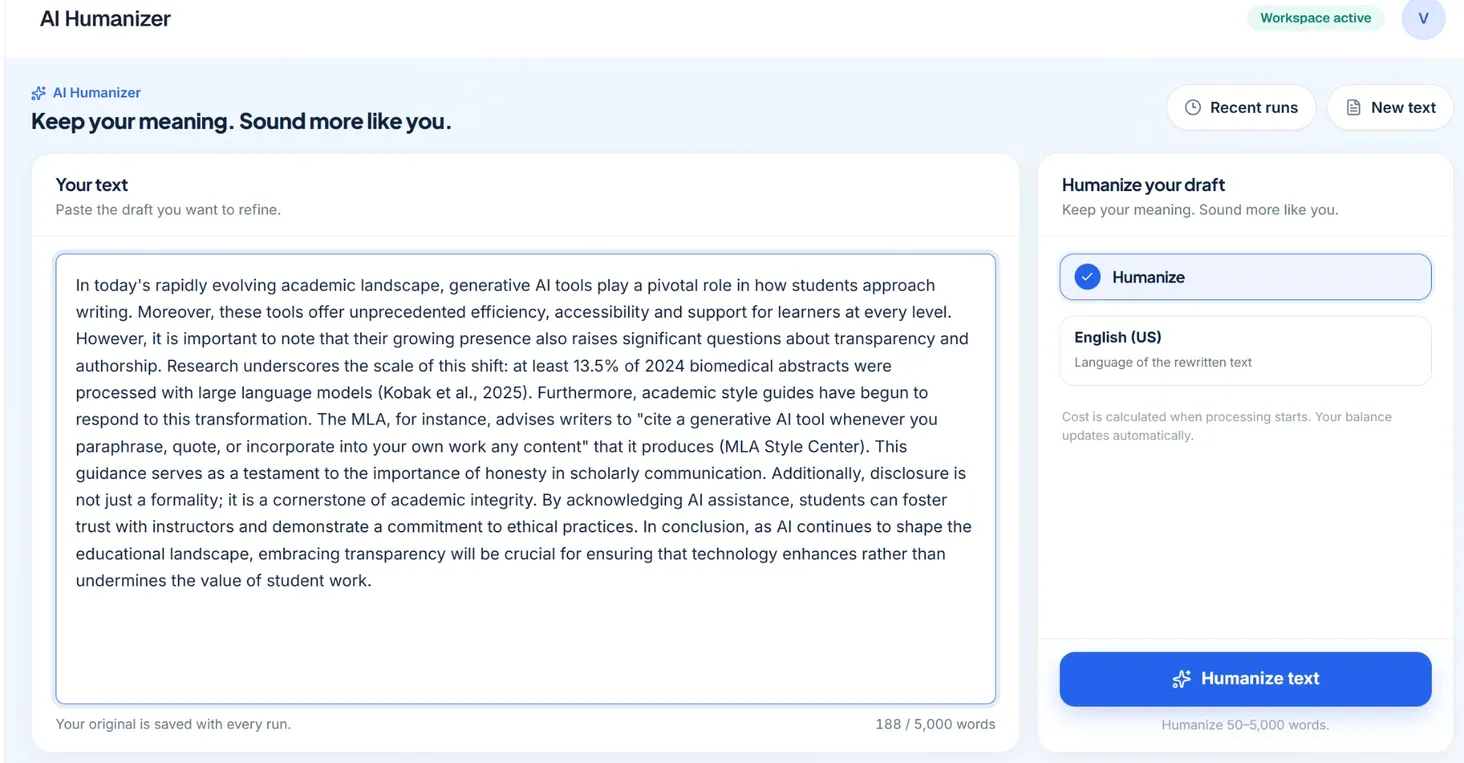
Draftout’s tool lets you humanize AI text from 50 to 5,000 words at a time, saves your original with every run, and keeps direct quotes and in-text citations exactly as written. In our November 2026 test, we ran 11 AI-written academic texts through it once each, with no manual edits, and a second person checked the results. All 171 citations and all 97 numbers came through exactly as written, with no invented sources or changes in meaning. After one pass, GPTZero rated 7 of the 11 texts as human and 4 as mixed; Pangram rated all 9 texts we ran through it as human-written. It also cut 14 hedges such as “are seen as”, which is exactly the kind of change to check for. That’s 11 texts and our own product, so treat it as a description of what the tool does, not a promise of any score.

Step 7: Check Before You Submit
The last step is to see your draft the way a detector and your instructor might. Run the final version through an AI text checker that scores it with several detectors, not just one. The AI Detector check is free.
If several detectors flag the same paragraph, go back to Steps 2 to 5 for that paragraph only. Don’t chase a number: detectors disagree, they change, and no score is a verdict. Turnitin itself says its score shouldn’t be the sole basis for action against a student; see how accurate Turnitin’s AI detector is.
Humanize your draft, then check it. Revise in your own voice, run a final pass with Draftout’s AI Humanizer, and check the result with several detectors before you submit.


How to Make ChatGPT Sound More Human
You can make ChatGPT sound more human by giving it your material and your constraints, rather than asking it to “sound human.” The prompts that help most are specific:
- Paste your own outline and notes, and ask it to draft only from them.
- Give it a sample of your writing and ask it to match sentence length and vocabulary, not to improve them.
- Ban words directly: “Don’t use delve, crucial, moreover, furthermore or ‘in conclusion’.”
- Ask for one paragraph at a time, so you can rewrite each before moving on.
Prompting changes style quickly. In the Stanford-led study, the prompt “Elevate the provided text by employing literary language” dropped detection of AI-written essays from 100% to 13%[3]. That shows how much detector scores depend on surface wording, and why a prompt alone doesn’t make the ideas yours. Steps 1, 4 and 5 still apply.
Is It Cheating to Humanize AI Text?
Humanizing AI text isn’t cheating in itself, but hiding AI use your course doesn’t allow is. The line depends on your syllabus, not on the tool.
Even humanizer makers say so. Grammarly’s AI humanizer page states that the tool “is not intended to bypass AI detectors,” and that using a humanizer to disguise AI use “may be considered unethical and could constitute cheating or plagiarism”[6].
A safe routine for any graded work:
- Read your course’s AI policy before you start, and ask if it’s unclear.
- Cite or acknowledge AI use where required. MLA asks you to cite a generative AI tool when you quote, paraphrase or incorporate its content, and to acknowledge uses like editing or translation in a note or in your text[5].
- Keep your drafts and version history. They show how the paper developed if anyone asks.
Frequently Asked Questions
Can you humanize AI text by hand?
Yes. Steps 1 to 5 in this guide need no tool: rebuild the draft around your own outline, cut stock phrases, vary sentence length, add your own examples and sources, and read it aloud.
Does an AI humanizer work?
It works on what it’s built to change: rhythm, stock phrases and filler. In our November 2026 test of 11 AI-written texts, Draftout kept all 171 citations and 97 numbers, and GPTZero rated 7 of the 11 as human after one pass. It doesn’t make the ideas yours, and no humanizer can guarantee a score.
Is humanized AI text detectable?
Sometimes. Detectors are updated often and disagree with each other, so a text one tool rates human may be flagged by another. In our test, GPTZero still rated 4 of the 11 humanized texts as mixed. Treat any score as a signal, keep your drafts, and revise flagged passages in your own voice.
Can teachers tell if you humanized AI text?
Sometimes. Teachers rarely rely on a detector alone; they compare the paper with your earlier work, check sources and may ask you to explain your argument. A draft that’s been reworded but not rethought often fails those checks, which is why Steps 1 and 4 matter most.
Will humanized text pass Turnitin?
No tool can promise that, and we don’t. Turnitin doesn’t let students run its AI check, its model changes over time, and different detectors disagree on the same text. Revise in your own voice, then check your draft with several detectors before you submit.
Does humanizing AI text remove plagiarism?
No. A humanizer changes wording, not where ideas came from. If a passage relies on a source, it still needs a citation, and a close rewording of someone else’s text without one is still plagiarism. Run a similarity check separately.
How do I humanize AI text without losing citations?
Lock your citations before you edit. Note every direct quote, page number and reference, then compare them after each round of rewriting. Use a humanizer that leaves quotes and in-text citations unchanged, and still check them yourself.
What is the best way to humanize AI writing?
The best way is to make the content yours first and the style second: your argument, your examples, your sources, then rhythm and word choice. A humanizer helps with the last part. It can’t supply the first.
Make It Yours, Then Check It
Humanizing AI text comes down to one idea: the reader should meet a writer, not a template. Start from your own outline, cut the stock phrases, vary your rhythm, add what only you know, read it aloud, and use a humanizer only to polish.
Then check your draft before you submit. An AI checker that scores your text with several detectors shows you which paragraphs still read as generic, so you can fix them in your own voice.
If you want the humanizer and the detector together, Draftout’s plans start with a 2-day trial for $2, then $39.99/month.
How We Checked This
- What we read. Every source below was opened and read on October 28, 2026. Figures from the two studies were checked against the papers themselves, not press coverage.
- What we tested. The humanizer figures in Step 6 come from our own November 2026 test: 11 AI-written academic texts, one pass each through Draftout with no manual edits, every citation and number checked by hand, results scored by GPTZero and Pangram and checked by a second person. The test texts aren’t public. It’s a small test of our own product, and we say so where we use it.
- What we did not do. We didn’t test other humanizers for this article, and we don’t claim any tool guarantees a detector score.
- Changelog. October 28, 2026: first version. November 5, 2026: Step 6 now uses our November 2026 humanizer test instead of the October one; added a summary of the 7 steps and two FAQ answers.
Sources
- [1]Wikipedia, “Signs of AI writing” (WikiProject AI Cleanup guide)Inflated significance, AI vocabulary (“delve”, “tapestry”, “pivotal”), negative parallelisms, formatting habits; caveat that “not all text featuring these indicators is AI-generated”. Community guide, not a study · accessed Oct 28, 2026
- [2]D. Kobak, R. González-Márquez, E.-Á. Horvát, J. Lause, “Delving into LLM-assisted writing in biomedical publications through excess vocabulary” (Science Advances, Jul 2025; arXiv 2406.07016)15M+ PubMed abstracts; at least 13.5% of 2024 abstracts processed with LLMs; excess ratios: delves 28.0, underscores 13.8, showcasing 10.7 · accessed Oct 28, 2026
- [3]W. Liang, M. Yuksekgonul, Y. Mao, E. Wu, J. Zou, “GPT detectors are biased against non-native English writers” (Patterns, 2023; arXiv 2304.02819)“Enhance the word choices…” prompt cut the average false positive rate on TOEFL essays from 61.22% to 11.77%; “Elevate the provided text by employing literary language” cut detection of AI essays from 100% to 13% · accessed Oct 28, 2026
- [4]GPTZero, “Perplexity and burstiness: what is it?”Definitions of perplexity and burstiness; people “tend to vary their sentence construction and diction”; GPTZero moved beyond these measures to a deep-learning model in 2023. Vendor’s own explanation · accessed Oct 28, 2026
- [5]MLA Style Center, “How do I cite generative AI in MLA style?” (Mar 17, 2023, updated Aug 2025)Cite the tool whenever you quote, paraphrase or incorporate its content; acknowledge functional uses in a note or the text; vet the secondary sources it cites · accessed Oct 28, 2026
- [6]Grammarly, “AI Humanizer” product page“This tool is not intended to bypass AI detectors”; using a humanizer to disguise AI use “may be considered unethical and could constitute cheating or plagiarism”. Vendor page; Grammarly sells a humanizer · accessed Oct 28, 2026

Table of contents
